Payment status & reminders
Capsure helps you keep track of which invoices have been paid - and which still need your attention - without needing to manage it manually.
Last updated 5 months ago
Payment status
Every invoice in Capsure has a Payment status:
Paid
Not paid
When you add a new invoice, Capsure will automatically detect whether it’s been paid or not based on the invoice details. To change the status, just select ‘Paid’ or ‘Not paid’.


Email reminders
For any invoice marked as Not paid, you can choose to receive reminders until it’s been paid.
You can set reminders to:
Off (default)
Weekly
Daily
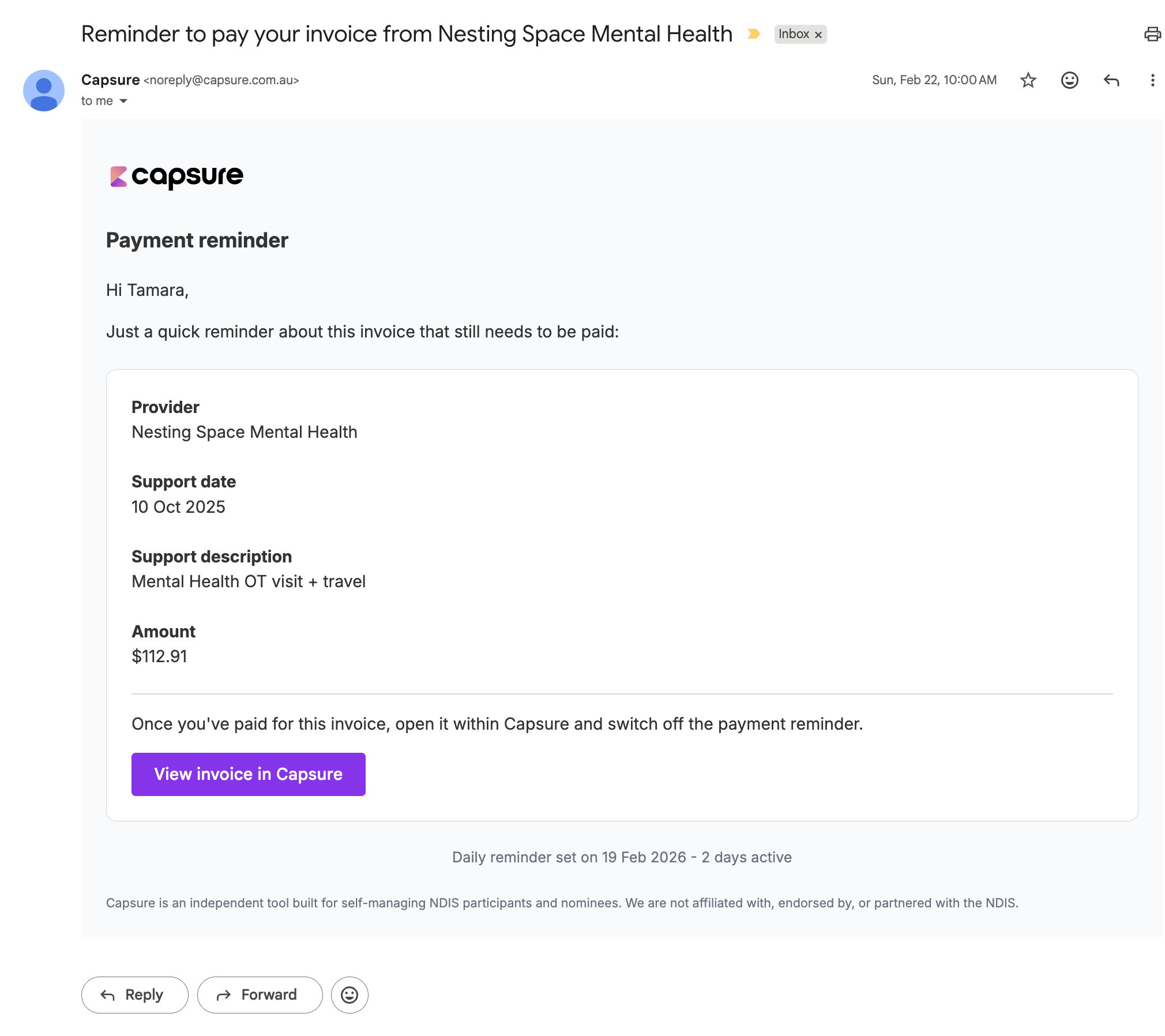
Reminders will continue to be emailed to you until the payment status is set to Paid or reminders are switched off.

Example of a reminder email
Need to Pay list
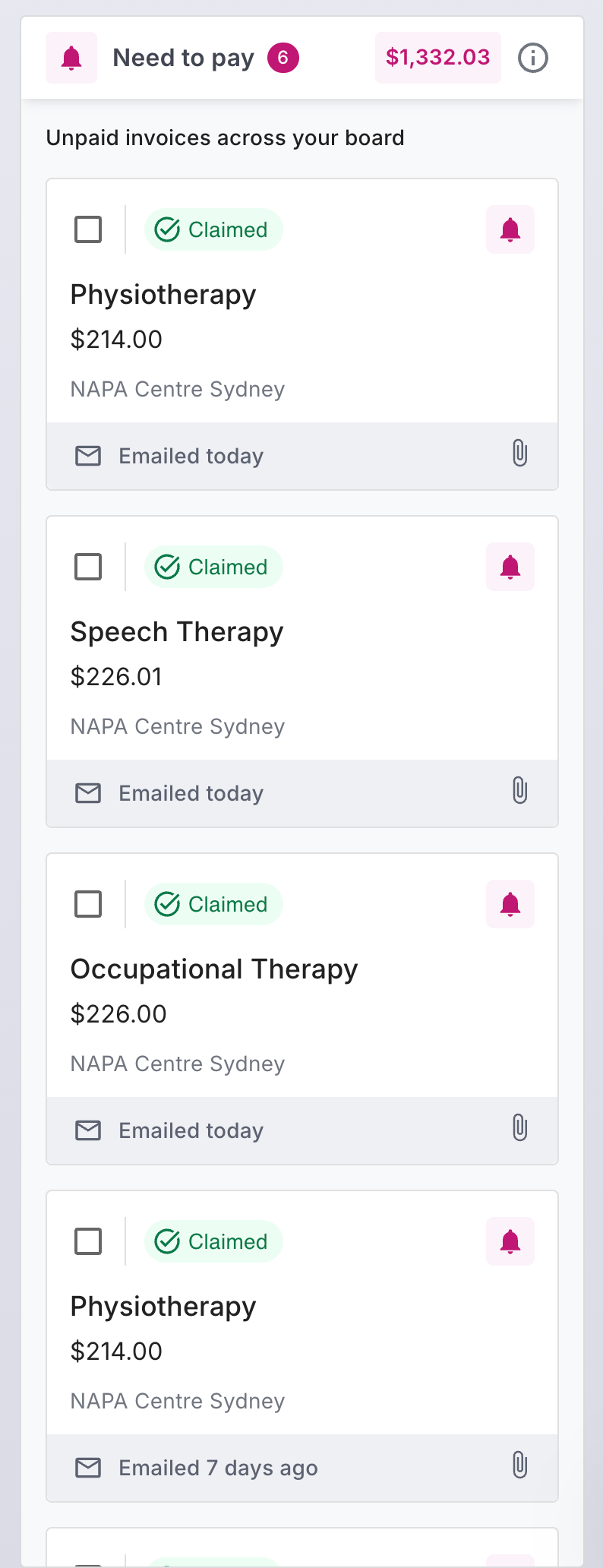
All invoices marked as Not paid will appear in the “Need to Pay” section on your Board. This gives you a clear view of everything outstanding in one place.
Why this matters
Payment status helps you:
Avoid double-paying invoices
Keep track of outstanding payments
Stay organised without spreadsheets or manual lists